因為我看到很多教學網頁都寫得很難懂,像是把上傳限制和上傳程式分開寫教學,所以我測試了一個實際上可以跑的精簡版本放在這邊,希望能加快寫程式查資料的速度。
註://假設主目錄在C:\TESTA\WebSite1,圖片資料夾在C:\TESTA\WebSite1\FileUploadDemo
1、
<asp:Label ID=”Label5″ runat=”server” Text=””></asp:Label>
<br/>
<asp:Button ID=”Button1″ runat=”server” Text=”上傳” onclick=”Button1_Click” />
<asp:FileUpload ID=”FileUpload1″ runat=”server” />
2、
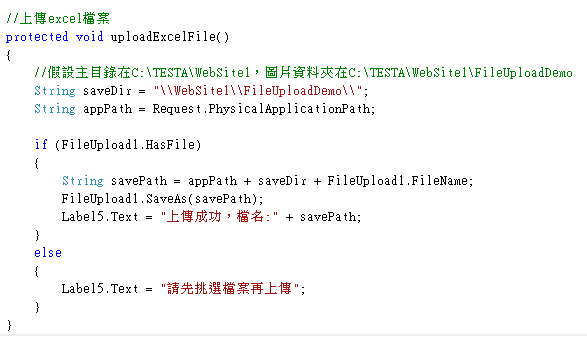
//上傳excel檔案
protected void uploadExcelFile()
{
//假設主目錄在C:\TESTA\WebSite1,圖片資料夾在C:\TESTA\WebSite1\FileUploadDemo
String saveDir = “\\WebSite1\\FileUploadDemo\\”;
String appPath = Request.PhysicalApplicationPath;
if (FileUpload1.HasFile)
{
String savePath = appPath + saveDir + FileUpload1.FileName;
FileUpload1.SaveAs(savePath);
Label5.Text = “上傳成功,檔名:” + savePath;
}
else
{
Label5.Text = “請先挑選檔案再上傳”;
}
}
3、
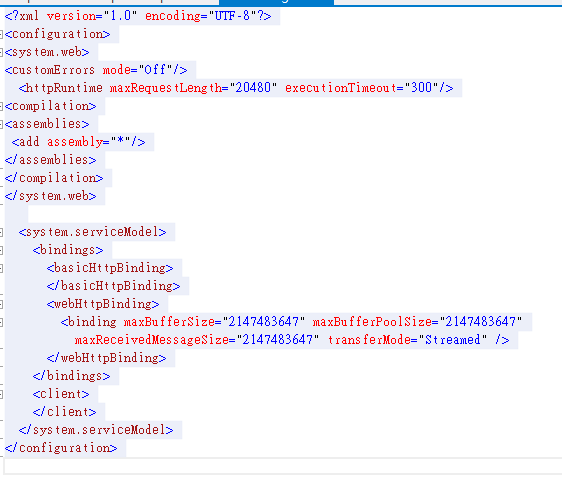
<?xml version=”1.0″ encoding=”UTF-8″?>
<configuration>
<system.web>
<customErrors mode=”Off”/>
<httpRuntime maxRequestLength=”20480″ executionTimeout=”300″/>
<compilation>
<assemblies>
<add assembly=”*”/>
</assemblies>
</compilation>
</system.web>
<system.serviceModel>
<bindings>
<basicHttpBinding>
</basicHttpBinding>
<webHttpBinding>
<binding maxBufferSize=”2147483647″ maxBufferPoolSize=”2147483647″
maxReceivedMessageSize=”2147483647″ transferMode=”Streamed” />
</webHttpBinding>
</bindings>
<client>
</client>
</system.serviceModel>
</configuration>
顯示結果:

檔案連結(google)